Asset Management Overview
Asset Management Overview
Updated March 28, 2026
Overview
Asset Management enables IT teams to store and track devices that are not computers with the Remmy agent, such as monitors, TVs, keyboards, and more. With Asset Management, virtually any device can be tracked across individuals, departments, locations, and more. Sysadmins can search for assets, track the lifecycle, and more.
Managing assets
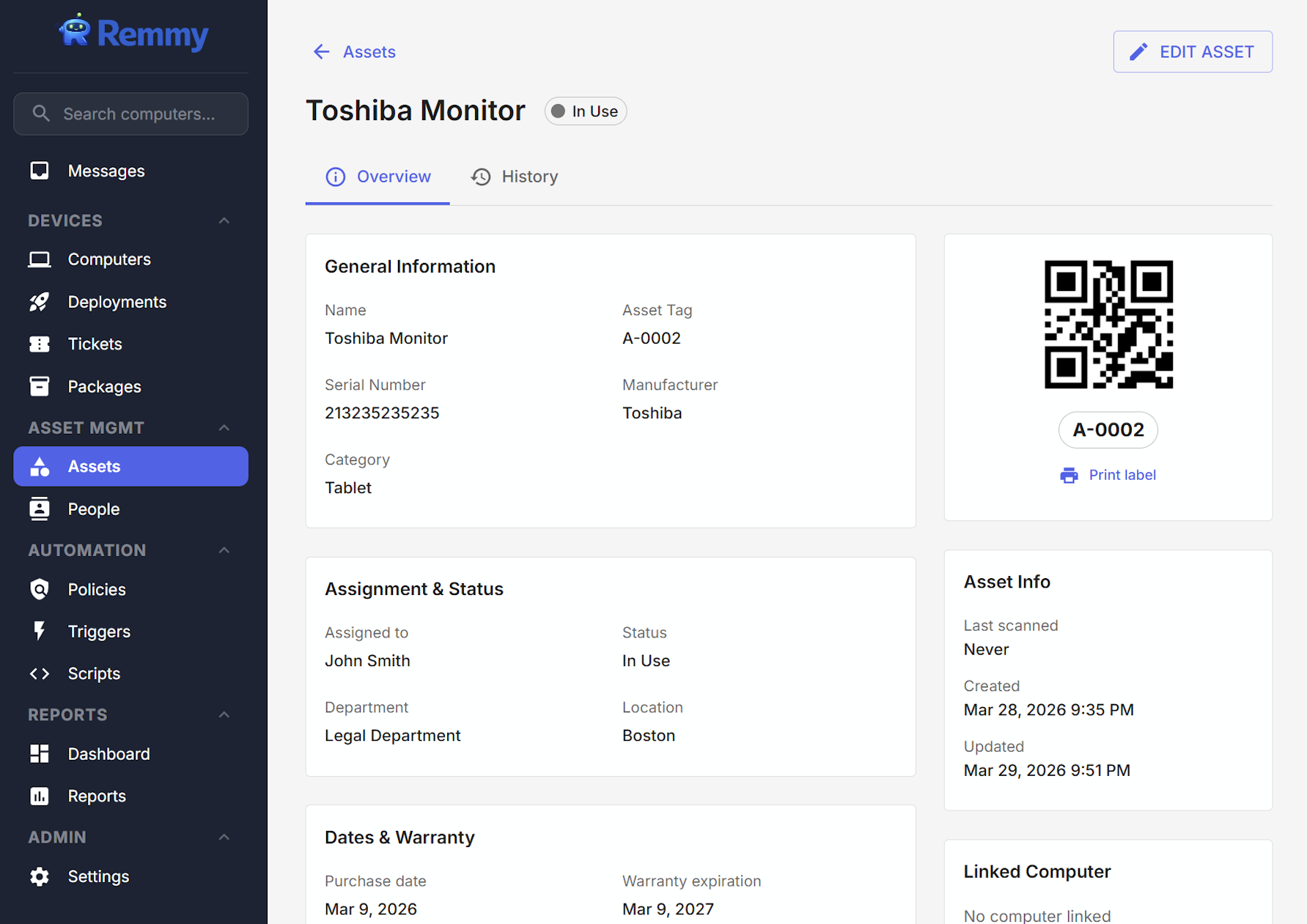
Assets can be virtually anything an IT team is responsible for - desktops, laptops, monitors, keyboards, TVs, and more. Users can create assets and assign them to individuals, departments, and more. Custom fields can also be created to track custom values about individual assets.
Barcode scanning
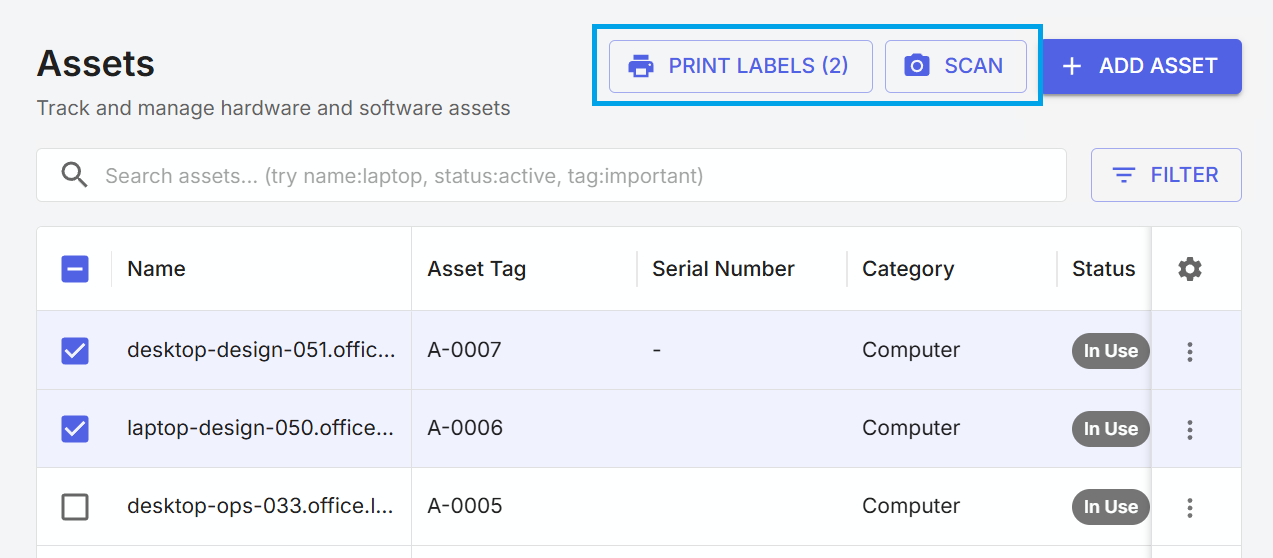
Each asset generates a unique barcode, which can be used for scanning and checking devices in. These check-in events are recorded and available in the full asset history, which contains a history of the asset.
Managing people
Assets and computers can be assigned to people. People within Remmy makes it easy to know exactly how each asset is currently assigned to individuals.
Asset reporting
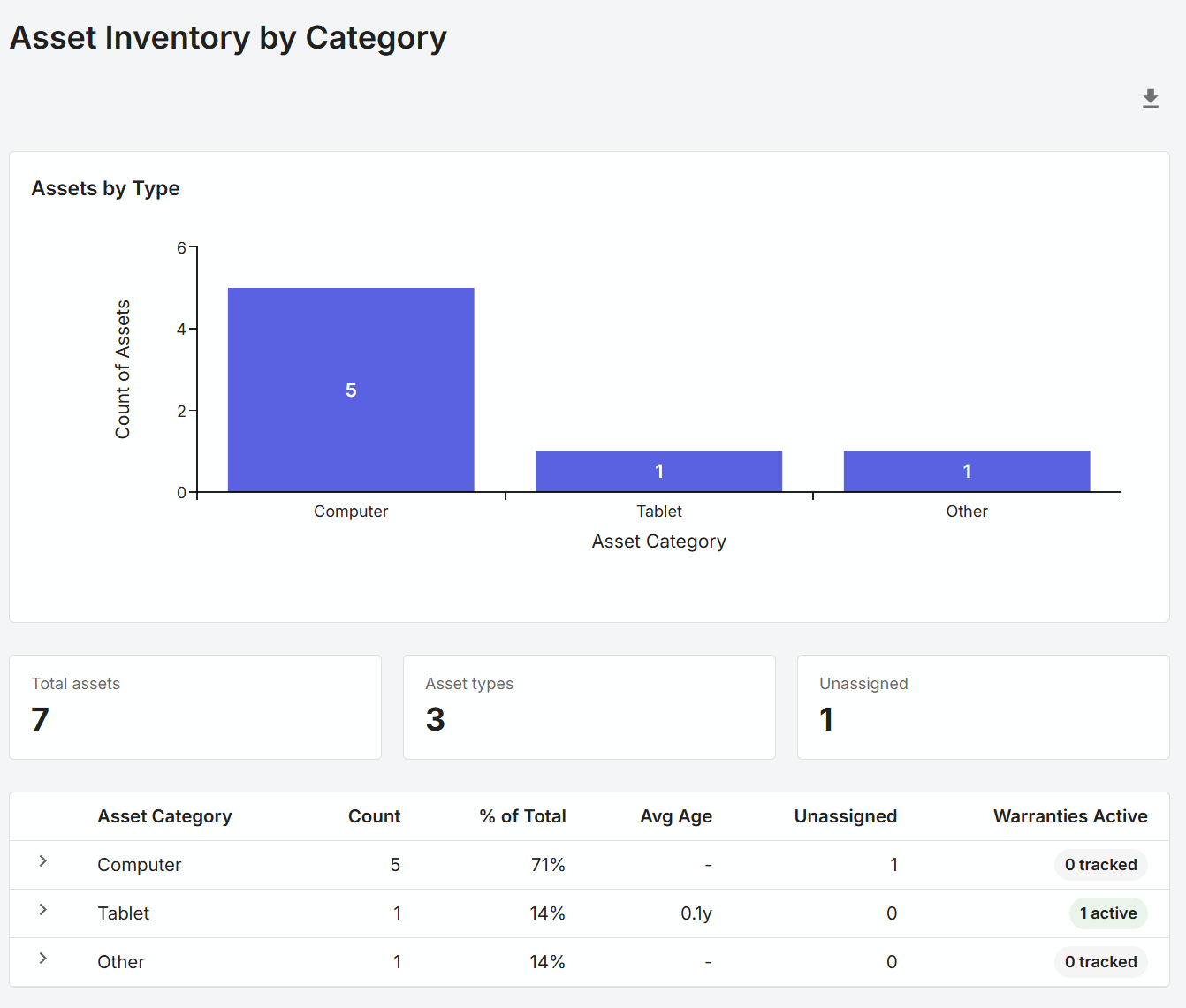
Built in asset reporting makes it easy for teams to identify unassigned assets, soon to be expiring warranties, and more - all from one place. Easy report exports make it simple to export and share export reports with other departments like accounting.