Asset Labels
Asset Labels
Updated March 31, 2026
Overview
For any asset being tracked by Remmy, Sysadmins can optionally print asset tags containing barcodes. This can be helpful in situations where a team is required by other departments to physically track assets, or where regular physical asset check-ins are required. Remmy makes it easy to create custom tags that can be optionally printed using standard label formatting.
Generating asset tags
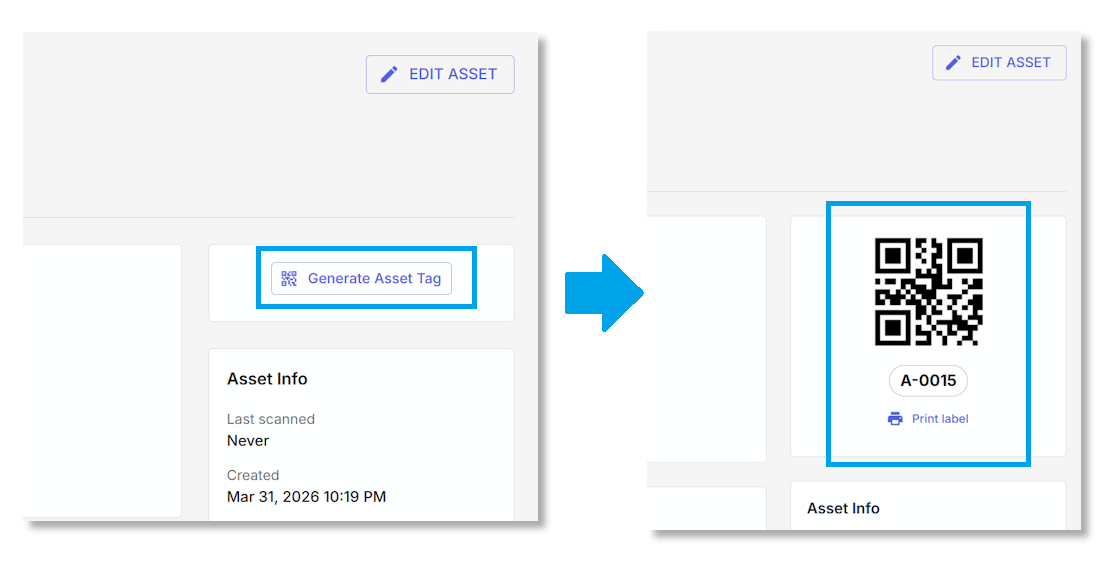
Asset tags can be created on the individual assets themselves, or generated in mass from the Asset Management settings page. When an asset tag has been created, it also creates a bar-code.
Print asset labels
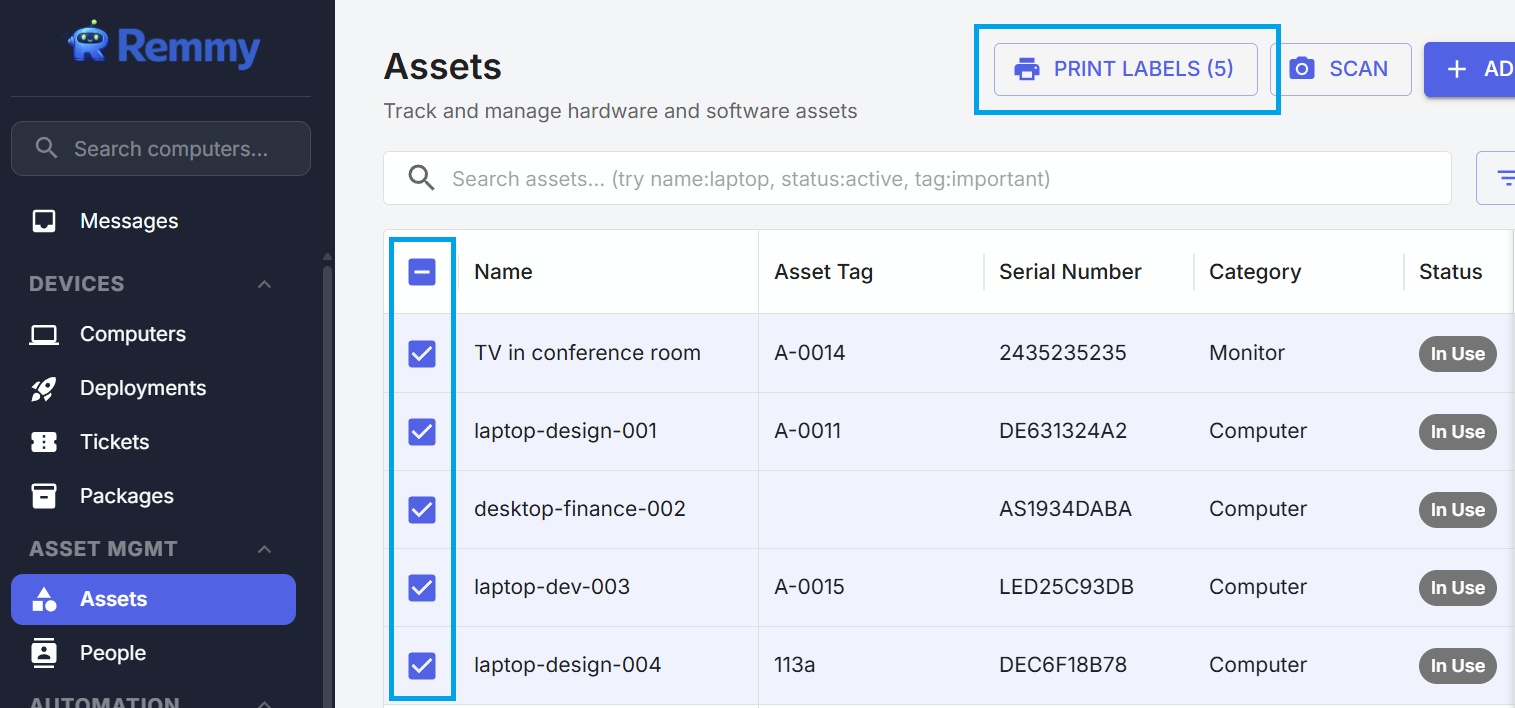
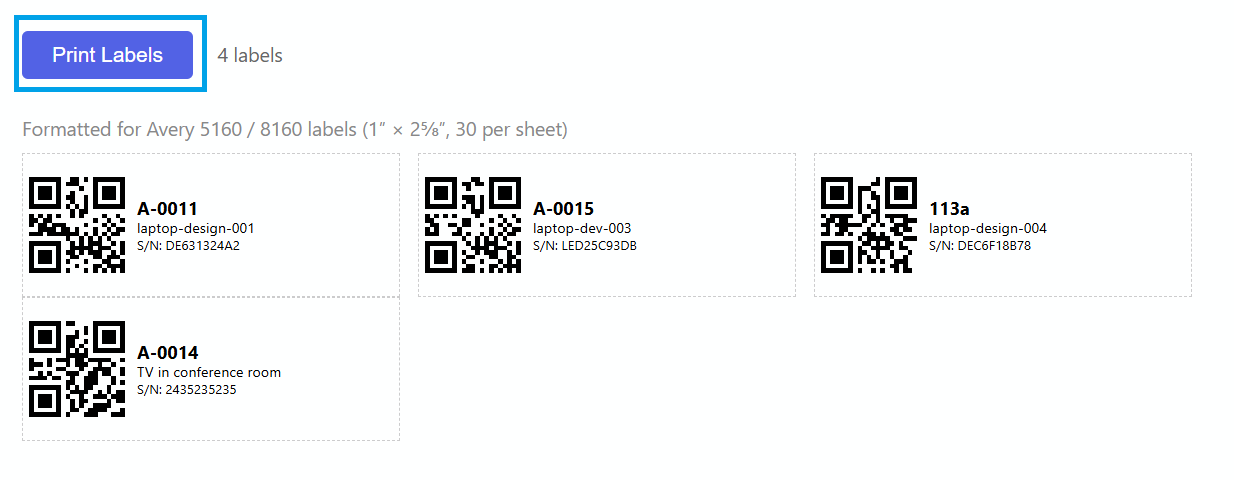
Asset labels can be optionally printed and attached to assets for easy inventory tracking. To print a label, select the desired assets from the Asset list page using the checkboxes, and click "PRINT LABELS". Remmy supports printing on Avery 5180 / 8160 labels.
Asset scan check-ins
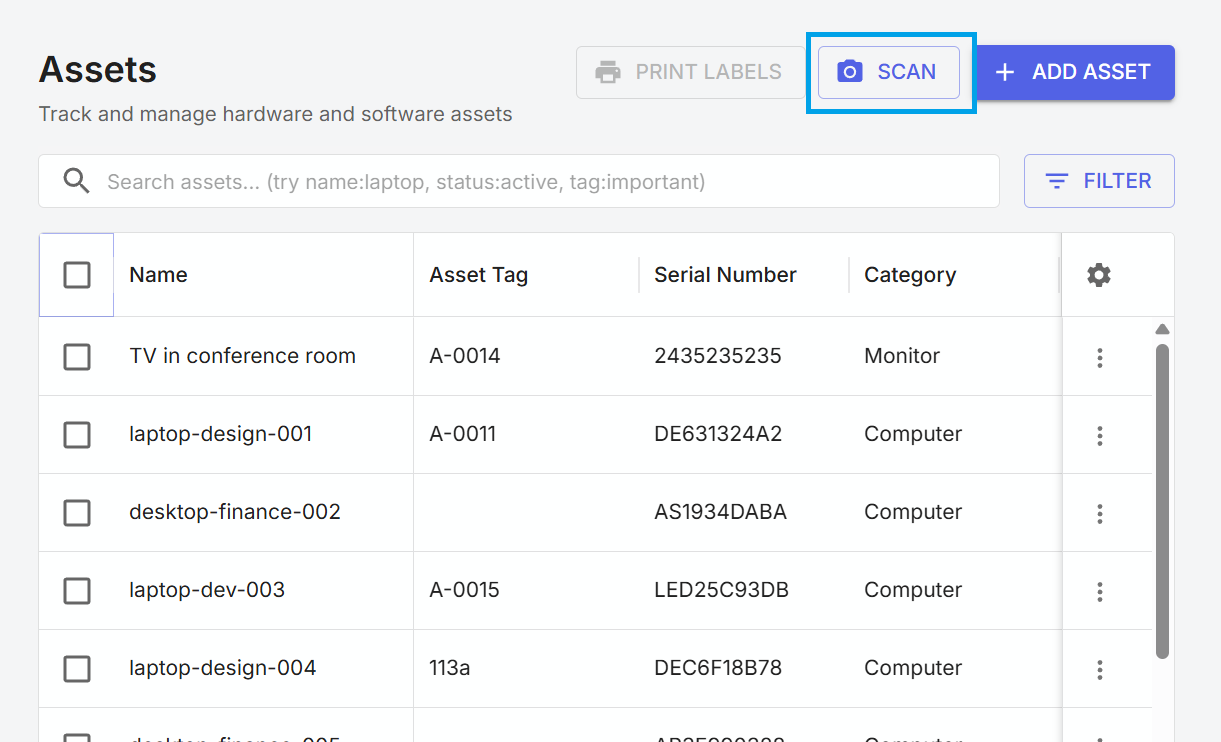
Labels can be used to perform automated asset check-ins. To perform a check-in, a user with Remmy open selects the "SCAN" button, and hold the asset barcode up to the camera. This will perform and log an asset check-in, making it easy to ensure inventory management is accurate.